
As part of a feature update, we have changed the existing flow of the PSO load process.
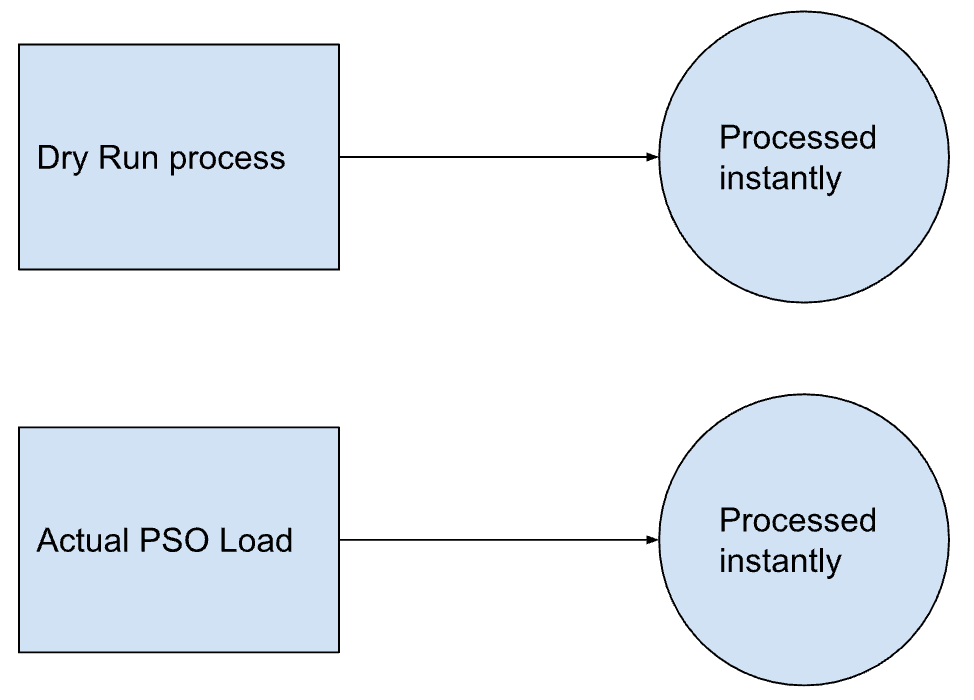
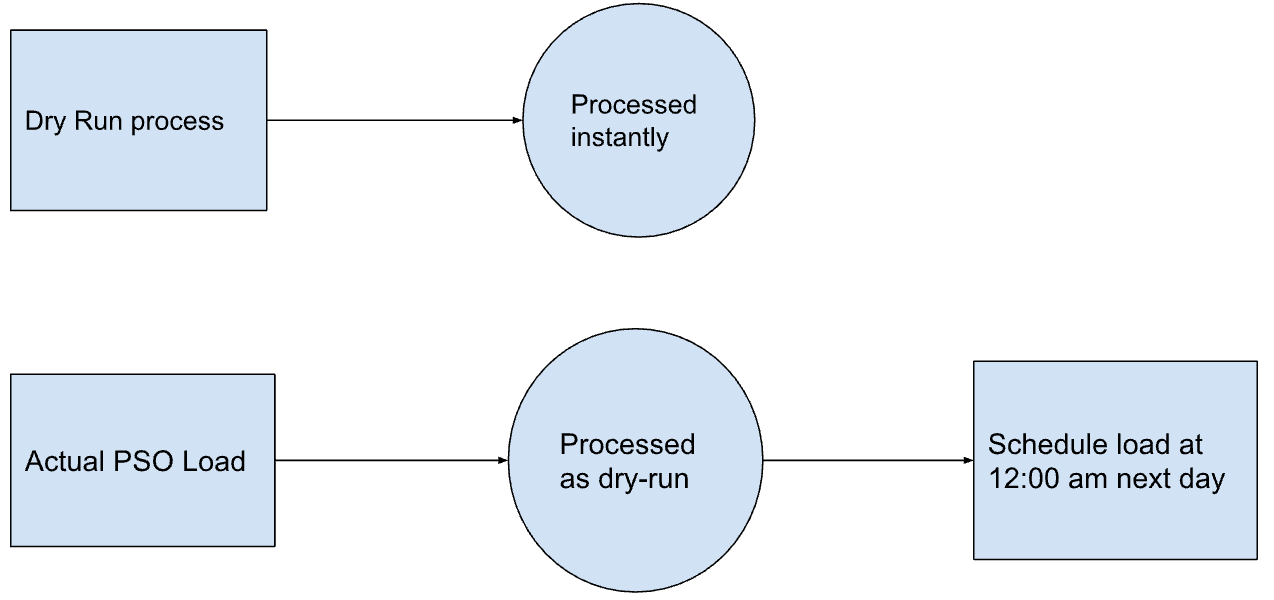
At present, when a user initiates an actual PSO load process, the load process takes place immediately. However, due to technical constraints impacting data crawls, we have made the decision to reschedule the actual PSO load. It will now be set to run at 00:00 am on the following day. Consequently, when a user initiates an actual PSO load process, a dry run process will be executed in real time instead of an actual load. Once the dry run process is successfully completed, the actual load process will be triggered to commence at the beginning of the next day.
A flowchart that explains the present process flow:
A flow chart that explains updated flow:
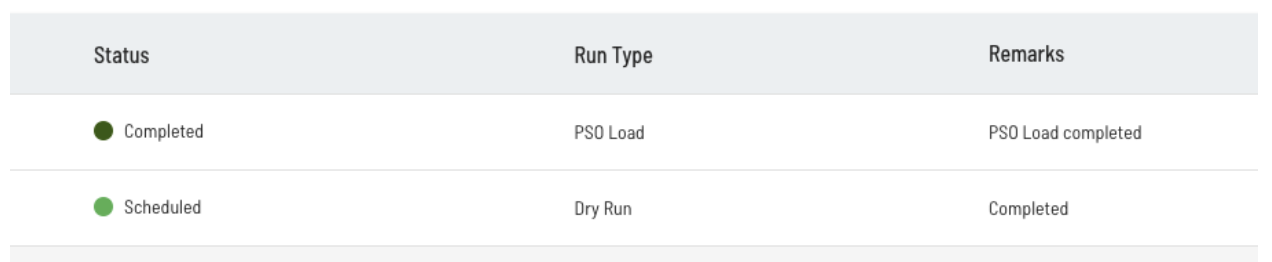
The modifications can be observed in the inbox view of the Insights-Plus portal. Alongside the regular statuses, we have introduced a new status called "Scheduled" to indicate whether a PSO load is scheduled or not. Once the actual process is triggered at the beginning of the next day, this status will automatically transition to the standard "Completed" status, as per usual.
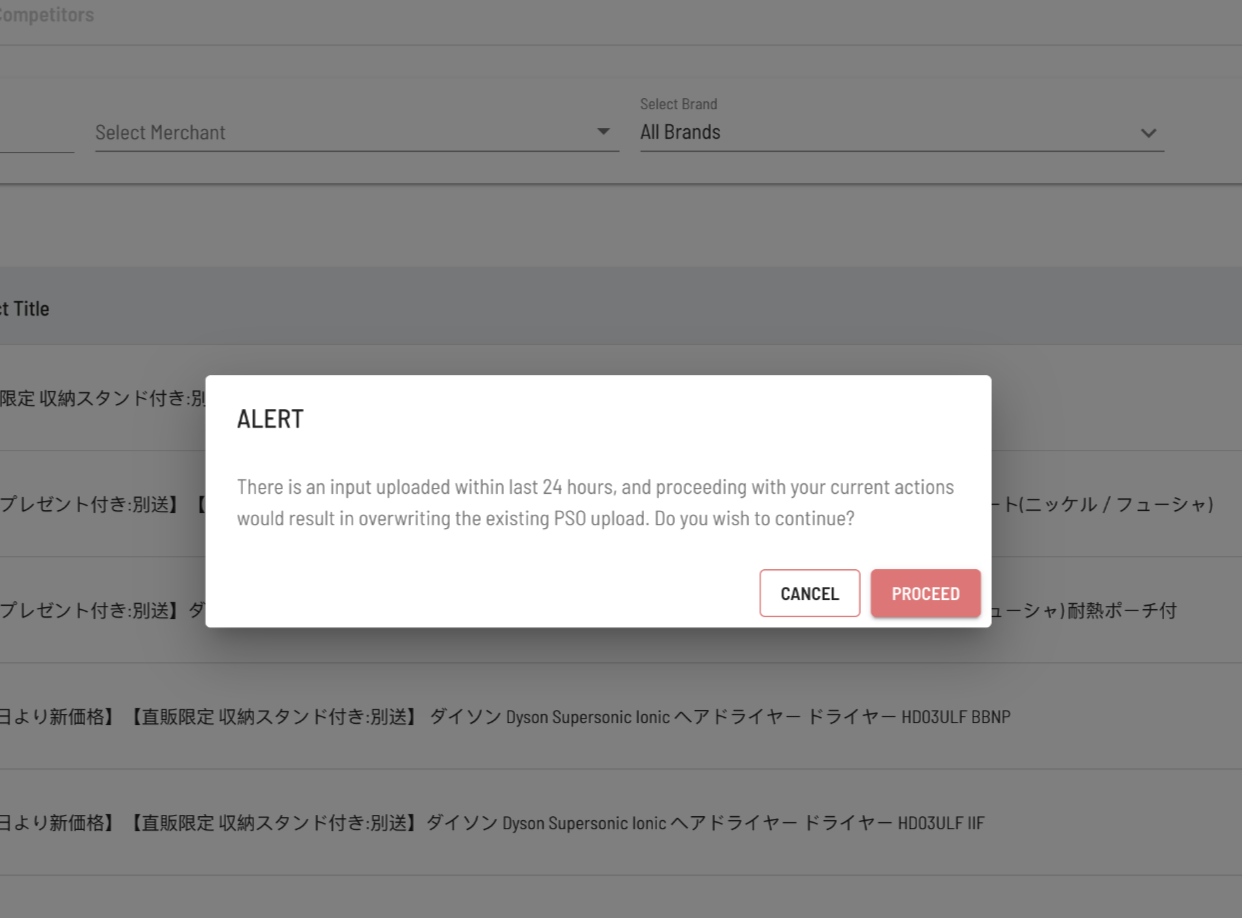
If a PSO Load is already scheduled for the next day and there is an attempt to initiate an actual PSO Load again, the process will encounter a pop-up screen with the following appearance. If the "Proceed" option is clicked, the existing PSO load would be disabled and a new one would be scheduled for run.
For queries, please write to dds-ops@shopalyst.com